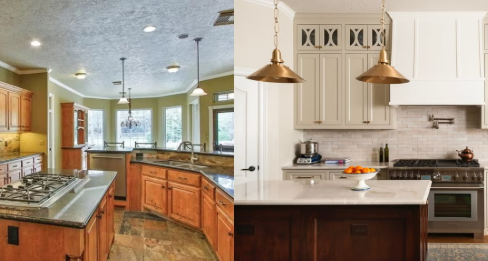
How Homeowners Plan Kitchen Renovations Has Quietly Shifted

From Napkin Sketches to Digital Layouts: What Homeowners Use Today
Kitchen planning used to happen on graph paper, with a tape measure, a pencil, and a lot of guesswork about whether a new island would actually fit between the sink and the pantry door. Contractors would sketch rough layouts during a first visit, and homeowners often didn’t see a real visual until cabinets were already ordered. That approach left plenty of room for costly surprises once the drywall came down.
Over the past decade, the tools available to everyday homeowners have expanded well beyond what professional designers used to keep to themselves. Free and low-cost apps now let people drag cabinets, swap countertop finishes, and preview lighting changes before a single wall is touched. Some platforms focus purely on aesthetics, offering mood boards and color palettes, while others lean into measurement accuracy and structural constraints. A smaller category blends both, aiming to give people a realistic sense of layout alongside visual style.
Mobile apps represent one end of the spectrum, prioritizing speed and ease of use over precision. They’re good for early brainstorming but tend to struggle once someone needs to account for load-bearing walls, plumbing runs, or electrical panel locations. Desktop-based design software sits at the other end, offering far more control but often requiring a learning curve that discourages casual users.
Weighing Accuracy, Flexibility, and Real-World Constraints
Choosing between these tools usually comes down to how much the design needs to reflect actual construction limitations versus how much it simply needs to communicate an idea. For homeowners who plan to hire a contractor anyway, a lightweight visualization tool may be enough to settle on finishes and general layout direction. Those managing more of the project themselves, or coordinating with multiple tradespeople, tend to need something closer to a true planning platform. This is where a kitchen remodeling design tool becomes useful, since it’s built to bridge the gap between rough inspiration and a layout that can survive contact with plumbing codes and appliance clearances.
Cost is another factor that shapes the decision, though it’s rarely the only one. Some platforms charge a one-time fee, others operate on subscriptions, and a few are bundled into services offered by cabinet retailers or contractors who use the design as a sales tool. It’s worth asking whether the output can be shared easily with a contractor, since a beautifully rendered kitchen is far less useful if it can’t be translated into actual measurements and material lists.
Compatibility with existing floor plans matters too, especially in older homes where walls aren’t perfectly square and ceiling heights vary by a few inches from one side of the room to the other. A design tool that can’t accommodate those irregularities will produce a plan that looks finished but doesn’t match reality. Research from NIST building and construction research has long pointed to how structural inconsistencies in existing housing stock complicate renovation planning, which is part of why flexible measurement input has become a priority for newer design platforms.
See also: How Marketing Fuels Sustainable Business Growth
Matching the Tool to the Scope of the Remodel
A small cosmetic update, like refacing cabinets or swapping a backsplash, rarely justifies a complex planning platform. In those cases, a simple visualization app that shows color and material changes is usually sufficient, since the layout itself isn’t changing. People in this category benefit more from speed than from precision, and most free tools handle that job reasonably well.
Larger projects involving moved walls, relocated appliances, or structural changes call for something with more depth. At that point, the design tool needs to double as a communication device between homeowner, designer, and contractor, which means accurate dimensions and the ability to export or share plans become essential. Skipping this step often leads to mismatched expectations once construction starts, and change orders tend to follow.
Budget constraints also influence which tool makes sense, since some platforms charge extra for advanced features like 3D walkthroughs or material cost estimates. Homeowners working with a tight renovation budget may find that a mid-tier tool offering accurate layouts without premium extras hits the right balance. Those with more flexibility can justify a higher-end platform if it reduces the risk of costly layout mistakes later.
There’s no single tool that fits every kitchen project, and treating the decision as purely about features misses the point. The better question is whether the tool matches the complexity of the renovation being planned, not whether it has the most polished interface. A homeowner planning a full gut renovation needs something fundamentally different from someone simply updating hardware and paint, and recognizing that distinction early tends to save both time and money as the project moves forward.