What Is a Remote Desktop Connection and How Does It Work?

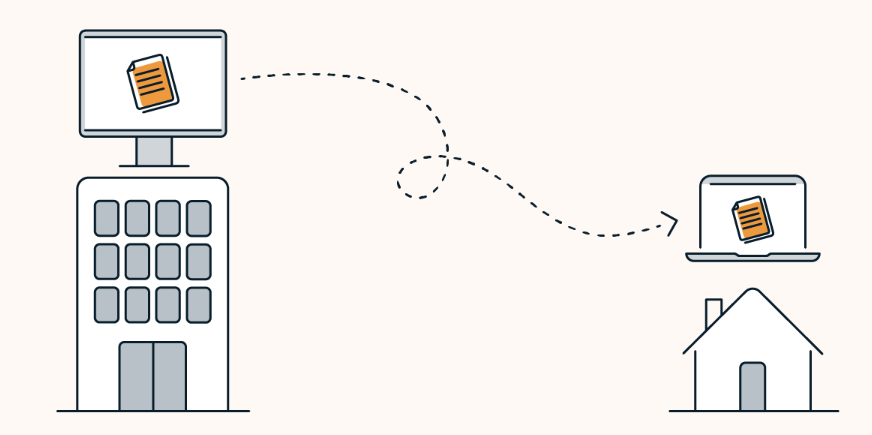
A remote desktop connection is a technology that allows a user to view and control the desktop environment of one computer from a different device, as if they were physically present at that machine. The screen of the remote computer is transmitted to the local device in real time, and the user’s keyboard and mouse inputs are sent back to the remote machine, creating an interactive session across any network distance.
Remote desktop technology underpins modern IT operations, distributed work, and technical support delivery. Understanding how it works, what protocols govern it, and how it differs from related technologies helps organizations choose the right tools and deploy them effectively.
The Foundation: How Remote Desktop Connections Work
A remote desktop connection depends on three components working together: a host, a client, and a protocol that governs communication between them.
The host is the computer being accessed remotely. It runs a server-side component,, either a built-in operating system service or an agent deployed by remote access software that listens for authorized incoming connections and transmits the current desktop state. The client is the device the user connects from. It renders the screen stream received from the host and transmits keyboard and mouse inputs back. The protocol is the standardized set of rules defining how screen data is encoded, compressed, and transmitted, and how input events are relayed between endpoints.
When a session begins, the client and host complete an authentication exchange, verifying that the connecting user has access rights to the target device. Once authenticated, the host encodes its current screen state and transmits it to the client. As the user interacts, their inputs travel to the host, are applied to the operating system, the resulting screen changes are encoded, and the updated frame is returned. This continuous loop input to the host, screen update to the client, is what creates the experience of operating the remote machine in real time.
Understanding what is a remote desktop connection at a technical level matters because protocol design directly determines the quality of the session experience. Well-engineered protocols adapt their encoding based on available bandwidth, compressing aggressively over slow connections and reducing overhead on fast ones. They prioritize screen regions where activity is occurring and transmit static areas with minimal bandwidth. High-quality implementations produce sessions that feel nearly indistinguishable from local operation, even over typical broadband connections.
The Protocols Behind Remote Desktop: RDP and VNC
Two protocols have historically defined the remote desktop landscape: the Remote Desktop Protocol and the open-source Virtual Network Computing protocol.
The Remote Desktop Protocol is built into Windows and Windows Server and supports a rich feature set, including local resource redirection, printers, audio, clipboard, and drives on the client device that become accessible from within the remote session. It encrypts sessions using TLS and supports Network Level Authentication, which verifies the connecting user before a full desktop session is e stablished, reducing the attack surface compared to older implementations where the desktop appeared before authentication completed. The Windows Remote Desktop Services overview at Microsoft Learn describes how the built-in RDS platform in Windows Server centralizes application and desktop delivery for distributed workforces, illustrating how the underlying RDP connection technology scales into enterprise infrastructure.
VNC (Virtual Network Computing) operates on the Remote Framebuffer protocol and takes a cross-platform approach, transmitting raw screen pixels rather than higher-level display commands. This makes it applicable to any windowing system on any operating system. VNC implementations have improved substantially in compression and encoding efficiency over time. The IETF has documented the standard URI scheme for launching VNC connections in RFC 786. The VNC remote connection URI standard specifies how remote desktop clients can be launched from applications and browsers using a standardized connection format, enabling integration without binding users to a specific client implementation.
Beyond these two open protocols, enterprise remote access platforms often use proprietary protocols built on standard transport layers, optimized for high-definition display, adaptive compression, and low-latency input, paired with cloud relay infrastructure that eliminates the firewall traversal challenges that raw RDP and VNC connections routinely encounter when crossing network boundaries.
What a Remote Desktop Connection Is Not
Understanding remote desktop connections also requires distinguishing them from technologies that are sometimes conflated with the concept.
A VPN is not a remote desktop connection. A VPN extends the user’s network, making their device appear to be on the corporate network, but it does not provide control of another computer’s desktop. A user might connect through a VPN and then use a remote desktop protocol to reach a specific machine, but the VPN provides the network tunnel rather than the desktop access itself.
Remote support differs in workflow and intent. Remote support sessions are typically attended when an end user is present and aware that a technician is connecting. While the underlying technology may be similar to remote desktop, the session initiation model, governance requirements, and use cases are meaningfully different.
Screen sharing within video conferencing tools transmits one participant’s screen to others for viewing, typically without transmitting interactive control. Remote desktop connections are bidirectional; the connecting user can control the remote machine, not simply observe it.
Security Requirements for Remote Desktop Connections
Remote desktop connections create an interactive pathway into managed devices that must be secured across multiple layers.
Authentication is the first. Sessions should enforce multi-factor authentication rather than relying on password verification alone. Network Level Authentication verifies the connecting user before a desktop session is rendered, reducing the attack surface compared to implementations where the desktop appears prior to authentication completing.
Encryption is the second. Sessions transmitted without encryption expose screen content, keystrokes, and credentials to interception. Current standards require TLS encryption for all remote desktop sessions, and well-designed relay architectures ensure that any intermediary infrastructure cannot decrypt session content.
Access control is the third. The set of users authorized to initiate remote desktop connections to any given device should be specifically defined, minimal, and reviewed regularly. Broad permissions create an attack surface that can be exploited through compromised credentials.
Audit logging closes the loop. Every remote desktop session should be logged with the connecting user identity, target device, timestamp, and duration, with sufficient detail for security monitoring, incident investigation, and compliance documentation.
Deploying Remote Desktop Connections at Enterprise Scale
In small environments, a direct connection over a local network or VPN is often sufficient. In enterprise environments, the operational and security requirements of remote desktop access at scale require additional architecture.
Managing hundreds or thousands of remote desktop endpoints requires centralized agent deployment, role-based access controls scoped at the device group level, integration with enterprise identity providers for single sign-on, and session recording that feeds into security monitoring infrastructure. Native Remote Desktop Services can deliver these capabilities, but requires substantial server-side infrastructure and dedicated administrative expertise to maintain.
Purpose-built remote access platforms reduce this operational overhead through cloud-hosted relay infrastructure, streamlined agent deployment via management tools, and built-in security controls that satisfy enterprise governance requirements without the infrastructure complexity of a native deployment. Cross-platform support across different operating systems addresses the mixed device environments that most enterprise IT teams manage. For regulated industries, platforms certified under recognized compliance frameworks translate the underlying connection technology into a compliance-ready infrastructure component that satisfies audit requirements without additional compensating controls.
Frequently Asked Questions
What is the difference between a remote desktop connection and remote access software?
A remote desktop connection is the underlying technology, at the protocol-level session between a client and host that transmits screen data and input events. Remote access software is a platform built on top of this technology, adding authentication management, access controls, session governance, audit logging, multi-device support, and administrative consoles. The protocol is the foundation; the platform is what makes remote desktop connections governable at the organizational scale.
Does a remote desktop connection require both computers to be on the same network?
Not necessarily. Devices on the same local network can connect directly. Devices on different networks require either a VPN, a firewall rule permitting direct connection on the relevant port, or a cloud relay service that brokers the connection without requiring firewall configuration. Purpose-built remote access platforms handle relay automatically, which is one of the primary reasons they have largely displaced direct protocol connections in enterprise deployments.
How do enterprise remote access platforms differ from native operating system remote desktop services?
Native operating system remote desktop services require significant server-side infrastructure and administrative expertise to deploy and maintain at scale. Purpose-built platforms reduce operational overhead through cloud-hosted relay, simplified agent deployment, and built-in access governance. Broader cross-platform support, out-of-the-box compliance certifications, and centralized management capabilities address requirements that native services were not originally designed to satisfy.